Did ChatGPT Work FINALLY Kill Claude Cowork?
リアクション
2026年07月11日
Download ChatGPT Work: openai.com/chatgpt-work
Turn your existing content, methods, transcripts, documentation, or ideas into reusable ChatGPT skills.
Download the ChatGPT Skill Builder here:
https://www.incomecreator.pro/gpt-skill-builders
Build your client-attracting content strategy in 1 hour:
https://www.incomecreator.pro/ltao1
Book a private AI strategy session:
https://calendly.com/corey-incomecreator/ai-operations-audit
🔗 Download the Chat Export Organizer (free): https://forms.gle/7Z8eGsjJUaFR36Sd7
ChatGPT Work Explained: Desktop App, Projects, Tasks, Plugins, and the Codex Merge
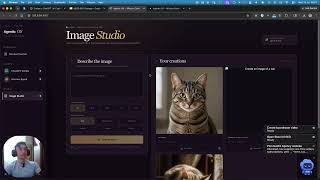
Corey McClain explains what the “Work” tab in ChatGPT is and how it differs from regular ChatGPT chat, emphasizing that the desktop app can access local files, browse the web, and use apps, while the web version is cloud-based and can’t connect to your file system. He describes OpenAI merging Codex and ChatGPT into ChatGPT Work (for knowledge workers) and ChatGPT Codex (for developers), with different interfaces and tools. He demonstrates using projects tied to specific folders for scoped context, creating new tasks, and setting scheduled automations like daily briefs. He highlights public and personal plugins (e.g., Airtable, Stripe, computer/browser control), introduces “Sites” for building hosted pages and private dashboards, explains model/usage meters, and compares ChatGPT Work with Claude, concluding both have distinct value.
00:00 Work Tab Explained
00:49 Web vs Desktop Access
01:27 Plugins and Local Tools
02:20 OpenAI Merge and Models
03:12 Work vs Codex Modes
04:52 OfferKit Agent Demo
06:06 Projects and Folder Context
07:55 Scheduled Task Automation
09:45 Public Plugins Tour
10:55 Sites and AI Command Center
12:07 Chat Mode and Model Tiers
13:38 Claude vs ChatGPT Meters
15:12 Reuse Old Chats as Tasks
16:06 Claude Comparison and Wrap Up
---
HOSTINGER (Use my link + code COREY)
n8n hosting / VPS setup: https://hostinger.com/corey
Website hosting (WordPress): https://hostinger.com/coreymcclain
Email tools (Hostinger Reach): https://hostinger.com/coreymcclain10
Use code COREY at checkout.
---
TOOLS I USE + RECOMMEND (some links may be affiliate links)
YouTube Growth + SEO
vidIQ (keyword + competitor insights): https://vidiq.com/coreymcclain
Email + Automation
ActiveCampaign (email marketing + automations): https://www.activecampaign.com/?_r=QIMM97L6
Funnels + Email + Courses (All-in-One)
Systeme.io (funnels + email + hosting): https://systeme.io/tr/2/161/3209095746/13990488/82595378fca639b50826408bbdff0b2f5e1d8a0a
Recording + Editing
Descript (edit video/podcasts like a doc): https://www.descript.com?lmref=2vYyUw
Riverside (remote interviews with local tracks): https://riverside.fm/creators/affiliates/correy-mcclain
Music + Sound Effects
Epidemic Sound (royalty-free music + SFX): https://share.epidemicsound.com/5ufv6h
Repurposing + Captions
Opus Clip (turn long videos into shorts): https://www.opus.pro/?via=15a042
Submagic (fast captions + short-form polish): https://submagic.co/?via=corey60
Use code COREY for 10% off.
Ecommerce
Shopify (launch an online store): https://shopify.pxf.io/B0rMML
Presentations
Tome (story-style presentations): https://tome.app/invite/corey-mcclain-clc8lqpiu77ea3b8dd83n0qlf
---
AFFILIATE DISCLOSURE
Some links above may be affiliate links. If you purchase through them, I may earn a commission at no extra cost to you. I only recommend tools I use or believe are worth it.
---
CONTACT
Business inquiries: corey@incomecreator.pro
Stop using only the ChatGPT mobile app chat interface. Learn the ChatGPT work tab features to handle tasks beyond simple questions.
Most people ignore 95 percent of the platform. If you stick to basic conversational prompts, you miss the specific tools designed for professional efficiency within the ChatGPT mobile app. This video explains exactly what that tab does and how to shift your workflow.
This guide is for anyone who wants to move past basic prompting. You will see how the ChatGPT work tab organizes your interaction with the AI, helping you get more done in less time. By mastering these ChatGPT features, you stop wasting potential and start using the app for actual projects.
Subscribe for weekly AI productivity breakdowns, and comment below if you want a deeper look at specific ChatGPT settings.
Turn your existing content, methods, transcripts, documentation, or ideas into reusable ChatGPT skills.
Download the ChatGPT Skill Builder here:
https://www.incomecreator.pro/gpt-skill-builders
Build your client-attracting content strategy in 1 hour:
https://www.incomecreator.pro/ltao1
Book a private AI strategy session:
https://calendly.com/corey-incomecreator/ai-operations-audit
🔗 Download the Chat Export Organizer (free): https://forms.gle/7Z8eGsjJUaFR36Sd7
ChatGPT Work Explained: Desktop App, Projects, Tasks, Plugins, and the Codex Merge
Corey McClain explains what the “Work” tab in ChatGPT is and how it differs from regular ChatGPT chat, emphasizing that the desktop app can access local files, browse the web, and use apps, while the web version is cloud-based and can’t connect to your file system. He describes OpenAI merging Codex and ChatGPT into ChatGPT Work (for knowledge workers) and ChatGPT Codex (for developers), with different interfaces and tools. He demonstrates using projects tied to specific folders for scoped context, creating new tasks, and setting scheduled automations like daily briefs. He highlights public and personal plugins (e.g., Airtable, Stripe, computer/browser control), introduces “Sites” for building hosted pages and private dashboards, explains model/usage meters, and compares ChatGPT Work with Claude, concluding both have distinct value.
00:00 Work Tab Explained
00:49 Web vs Desktop Access
01:27 Plugins and Local Tools
02:20 OpenAI Merge and Models
03:12 Work vs Codex Modes
04:52 OfferKit Agent Demo
06:06 Projects and Folder Context
07:55 Scheduled Task Automation
09:45 Public Plugins Tour
10:55 Sites and AI Command Center
12:07 Chat Mode and Model Tiers
13:38 Claude vs ChatGPT Meters
15:12 Reuse Old Chats as Tasks
16:06 Claude Comparison and Wrap Up
---
HOSTINGER (Use my link + code COREY)
n8n hosting / VPS setup: https://hostinger.com/corey
Website hosting (WordPress): https://hostinger.com/coreymcclain
Email tools (Hostinger Reach): https://hostinger.com/coreymcclain10
Use code COREY at checkout.
---
TOOLS I USE + RECOMMEND (some links may be affiliate links)
YouTube Growth + SEO
vidIQ (keyword + competitor insights): https://vidiq.com/coreymcclain
Email + Automation
ActiveCampaign (email marketing + automations): https://www.activecampaign.com/?_r=QIMM97L6
Funnels + Email + Courses (All-in-One)
Systeme.io (funnels + email + hosting): https://systeme.io/tr/2/161/3209095746/13990488/82595378fca639b50826408bbdff0b2f5e1d8a0a
Recording + Editing
Descript (edit video/podcasts like a doc): https://www.descript.com?lmref=2vYyUw
Riverside (remote interviews with local tracks): https://riverside.fm/creators/affiliates/correy-mcclain
Music + Sound Effects
Epidemic Sound (royalty-free music + SFX): https://share.epidemicsound.com/5ufv6h
Repurposing + Captions
Opus Clip (turn long videos into shorts): https://www.opus.pro/?via=15a042
Submagic (fast captions + short-form polish): https://submagic.co/?via=corey60
Use code COREY for 10% off.
Ecommerce
Shopify (launch an online store): https://shopify.pxf.io/B0rMML
Presentations
Tome (story-style presentations): https://tome.app/invite/corey-mcclain-clc8lqpiu77ea3b8dd83n0qlf
---
AFFILIATE DISCLOSURE
Some links above may be affiliate links. If you purchase through them, I may earn a commission at no extra cost to you. I only recommend tools I use or believe are worth it.
---
CONTACT
Business inquiries: corey@incomecreator.pro
Stop using only the ChatGPT mobile app chat interface. Learn the ChatGPT work tab features to handle tasks beyond simple questions.
Most people ignore 95 percent of the platform. If you stick to basic conversational prompts, you miss the specific tools designed for professional efficiency within the ChatGPT mobile app. This video explains exactly what that tab does and how to shift your workflow.
This guide is for anyone who wants to move past basic prompting. You will see how the ChatGPT work tab organizes your interaction with the AI, helping you get more done in less time. By mastering these ChatGPT features, you stop wasting potential and start using the app for actual projects.
Subscribe for weekly AI productivity breakdowns, and comment below if you want a deeper look at specific ChatGPT settings.